
How to add Enzuzo Cookie Banner Compliant Consent
Integrate the Enzuzo Cookie Banner with your uSkinned Site Builder for Umbraco website in seconds.
Enzuzo's Cookie Banner Generator helps businesses create customisable cookie consent banners, ensuring compliance with GDPR, CCPA, and Google Consent Mode. It allows for quick and easy setup.
The General Data Protection Regulation (GDPR) applies to all websites with users from the EU. Check if your website’s use of cookies and online tracking is compliant with GDPR and the ePrivacy Directive (ePR). See what data your website collects and shares with 3rd parties – also useful for CCPA compliance (California Consumer Privacy Act).
Generate your Enzuzo Cookie Banner GDPR Consent code
Step 1
Sign up for Enzuzo Cookie Banner, verify your account and log into your dashboard.
Step 2
Follow the guide from the Enzuzo Cookie Banner to generate your code. Copy the code provided.
Embed your CookieYes code
Step 3
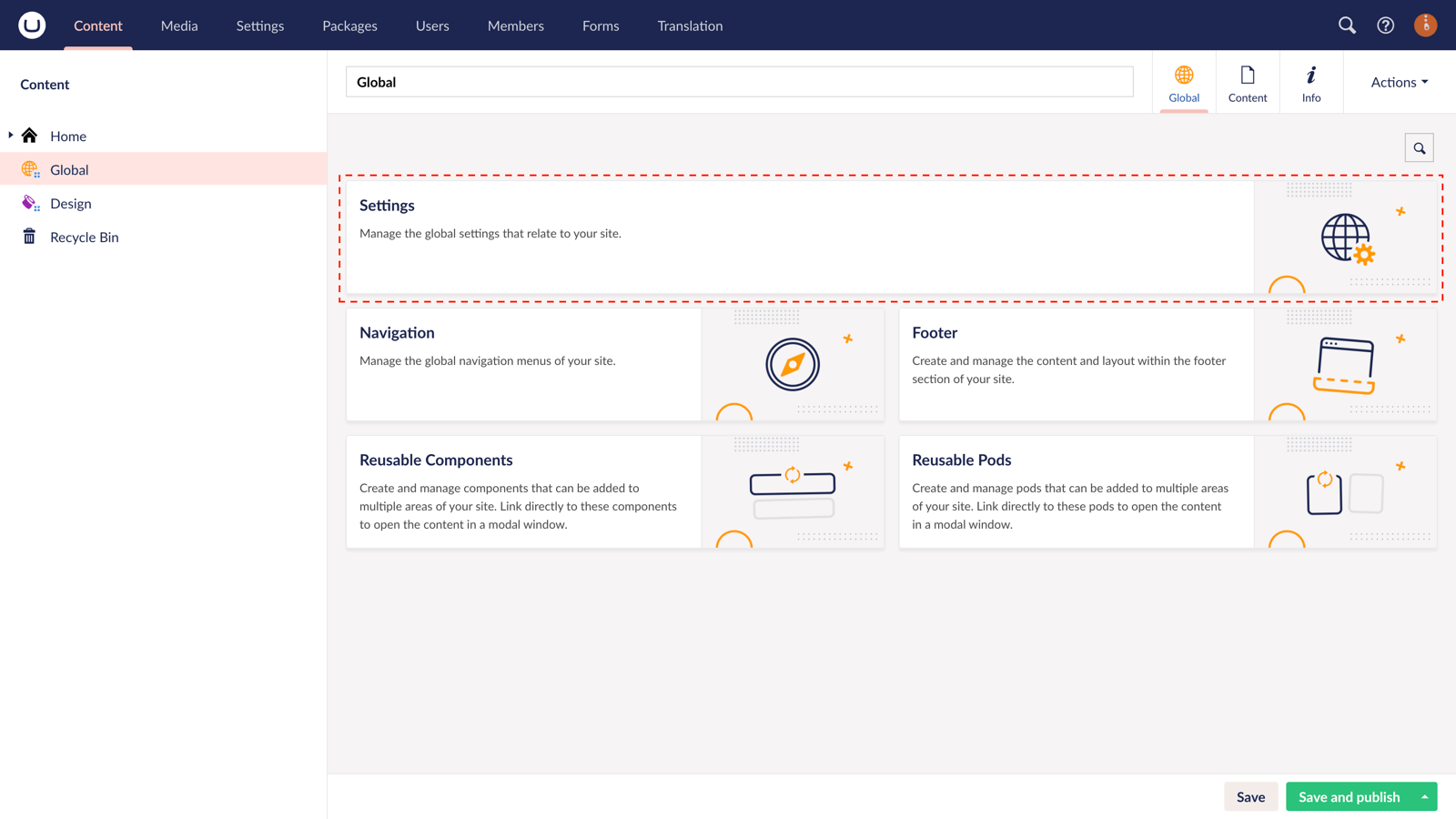
Log in to your uSkinned Website > In the tree menu, go to "Global" > From the grid, go to "Settings".
Step 4
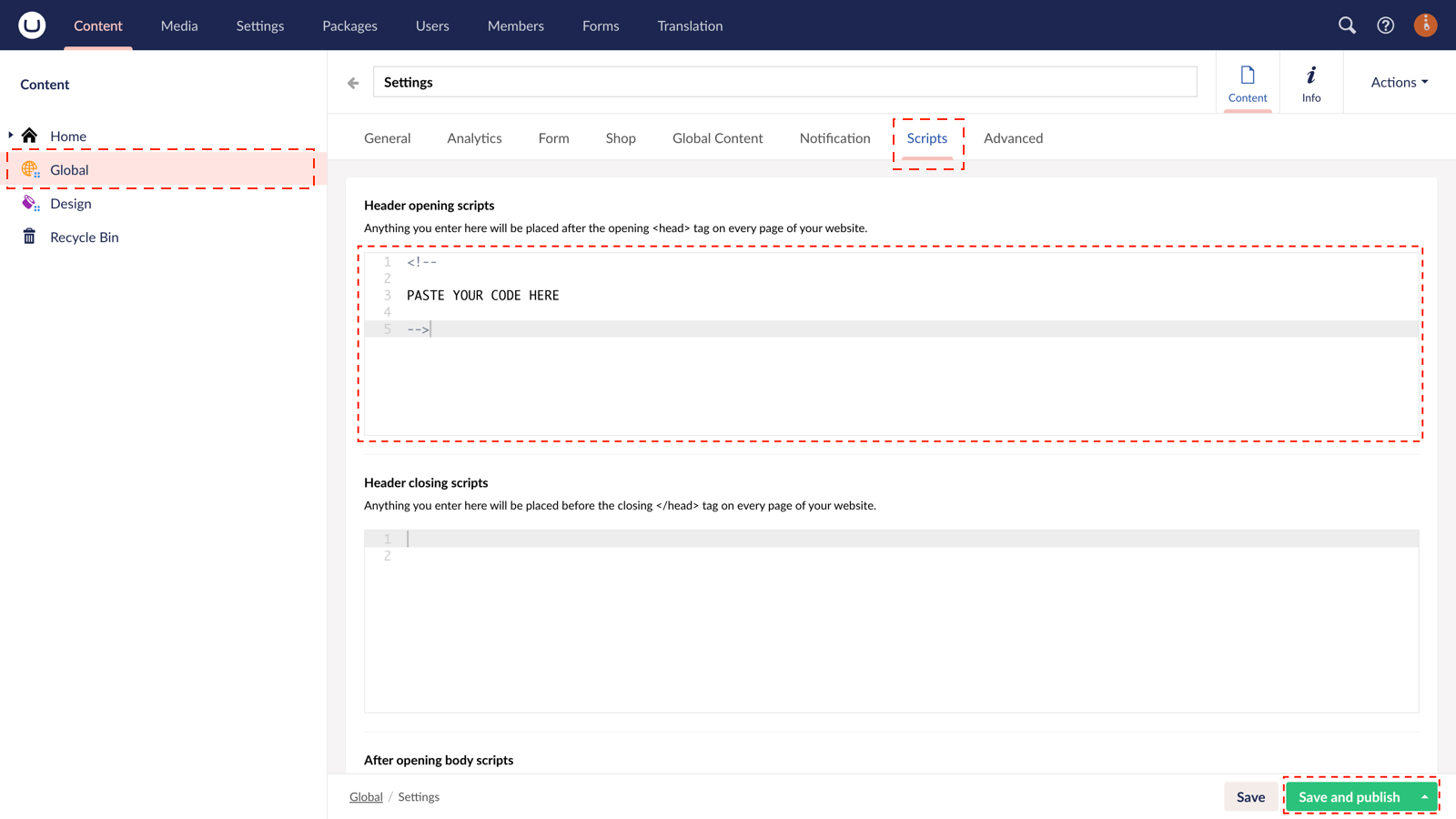
Go to the "Scripts" tab > Locate the "Header opening scripts" field and paste the code from Step 2.
Step 5
In the bottom right corner, click "Save and Publish".
The Enzuzo Cookie Banner will now allow your users to set their preferences and ensure that your site adheres to all necessary laws.
#h5yr


Ready to start your next project?
See why uSkinned Site Builder for Umbraco consistently ranks as the best.


