
How to add CookieHub Compliant Cookie Consent

Integrate CookieHub with your uSkinned Site Builder for Umbraco website in seconds.
CookieHub is a cookie consent management platform (CMP) that helps websites comply with privacy laws like GDPR and CCPA. It offers automatic cookie scanning, customisable consent banners, script blocking before consent, multilingual support, and integrations with tools like Google Tag Manager and Google Consent Mode. It’s positioned as an easy-to-use solution for small to medium websites, with free and paid plans based on traffic volume.
Generate your CookieHub code
Step 1
Register for CookieHub. You will then need to verify your account and log in to your dashboard.
Step 2
Follow the guide from CookieHub to generate your code. Copy the code provided.
Embed your CookieHub code
Step 3
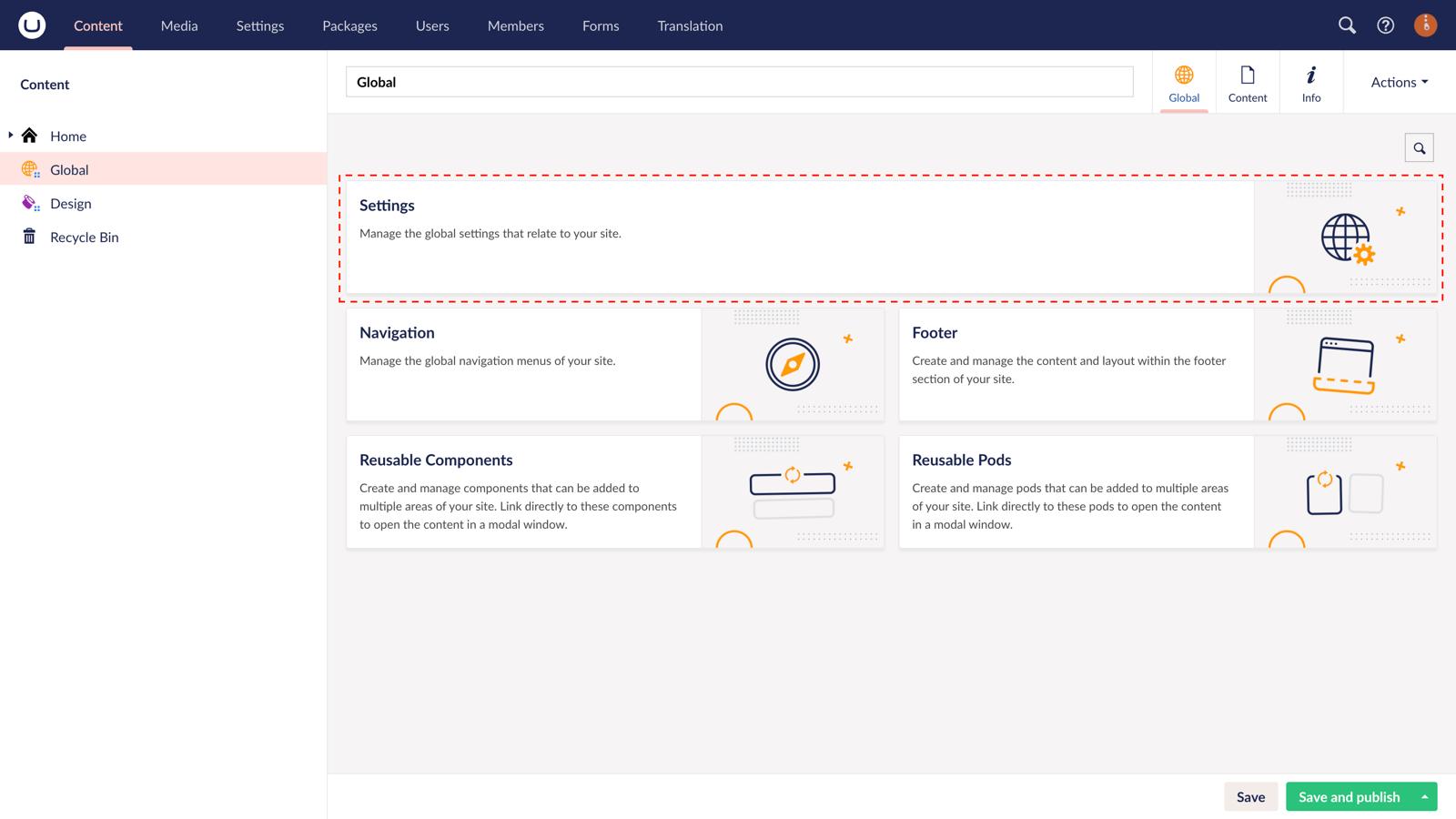
Log in to uSkinned Site Builder CMS > In the tree menu, go to "Global" > From the grid, go to "Settings".
Step 4
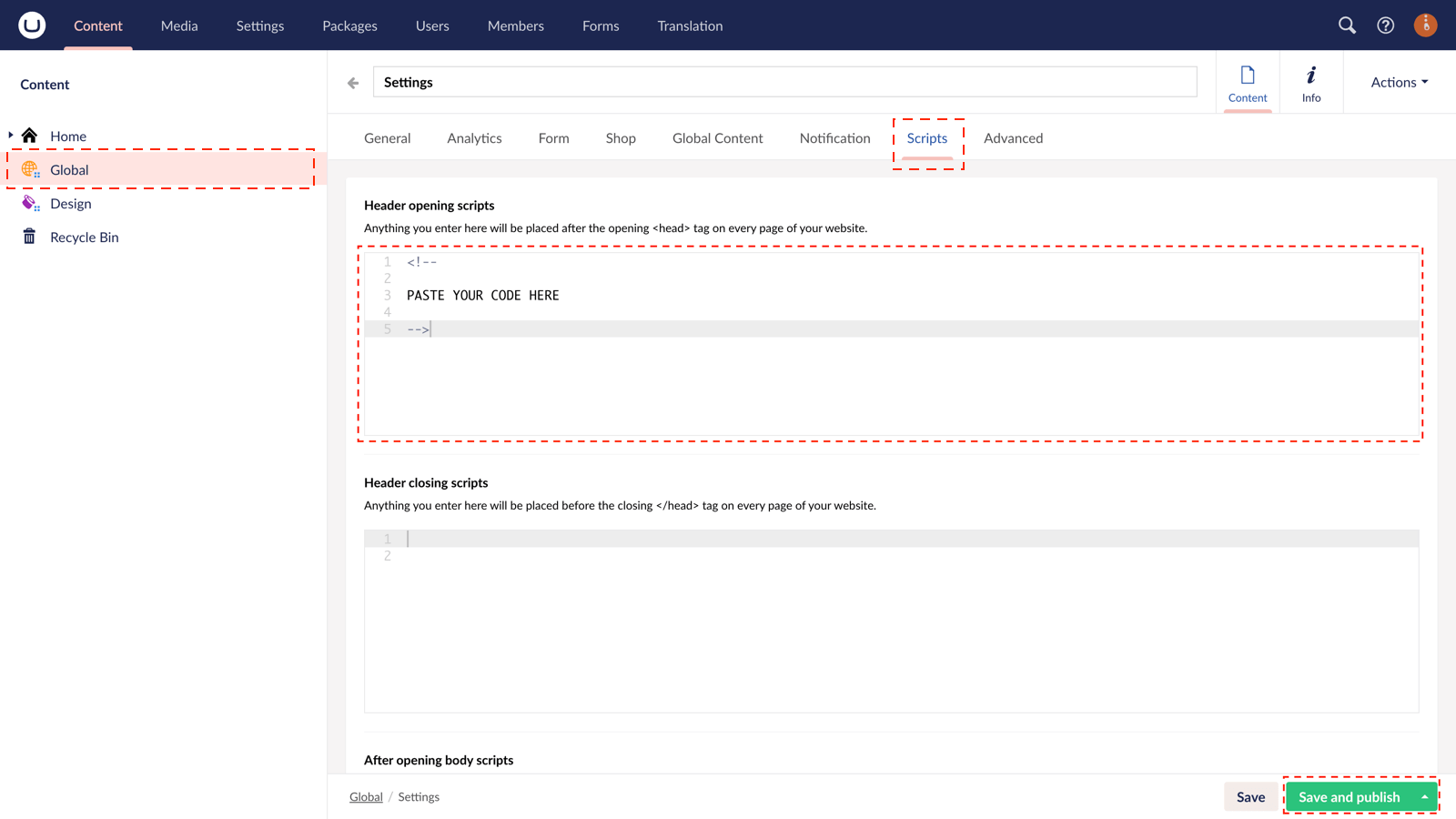
Go to the "Scripts" tab > Locate the "Header opening scripts" field, and paste the code from Step 2.
Step 5
In the bottom right corner, click "Save and Publish".
CookieHub will now be present for your users to set their own preferences and ensure that your site adheres to all necessary laws.
#h5yr


Step 3
Create
Create content with the Visual Editor and utilise built-in eCommerce and integrations.
Step 4
Go Live
You can host securely on Azure with uSkinned Hosted, or go your own way with a Self-Hosted license.
