

uSkinned Site Builder is ready for Umbraco 17.4 and up.
The next generation of uSkinned Site Builder (version 7.0.0) is here, bringing full support for Umbraco 17 alongside a completely modernised backoffice experience, improved editor tools, Block Grid support, dark mode compatibility, and more.
This is one of the biggest upgrades we’ve undertaken since launching Site Builder back in 2021. Moving from Umbraco 13 to 17 was far more than a version upgrade. With major architectural changes across the CMS, the move away from AngularJS, and a completely modernised backoffice experience, almost every part of Site Builder had to evolve alongside it.
Over the past few months, we’ve shared parts of that journey with the community, including at the recent Umbraco Scotland Meetup in Glasgow, where our co-founder Marc Love spoke about the migration process, the challenges involved, and what it takes to upgrade a deeply integrated product to Umbraco 17.
Now, with Umbraco 17.4 delivering the stability we’ve been waiting for across key extension points, we’re ready to release the first version of Site Builder 7 for Self-Hosted websites.
A Modern Umbraco Backoffice
One of the biggest changes in Umbraco 17 is the removal of AngularJS in favour of a modern TypeScript-based extension architecture.
For Site Builder, that meant rebuilding and rethinking large parts of the backoffice experience, including custom property editors, dashboards, collection views, sections, and editor tools. With over 20 custom property editors and more than 100 custom data types to migrate, this was a significant undertaking.
The result is a faster, cleaner, more future-proof editing experience that feels right at home in the latest version of Umbraco.
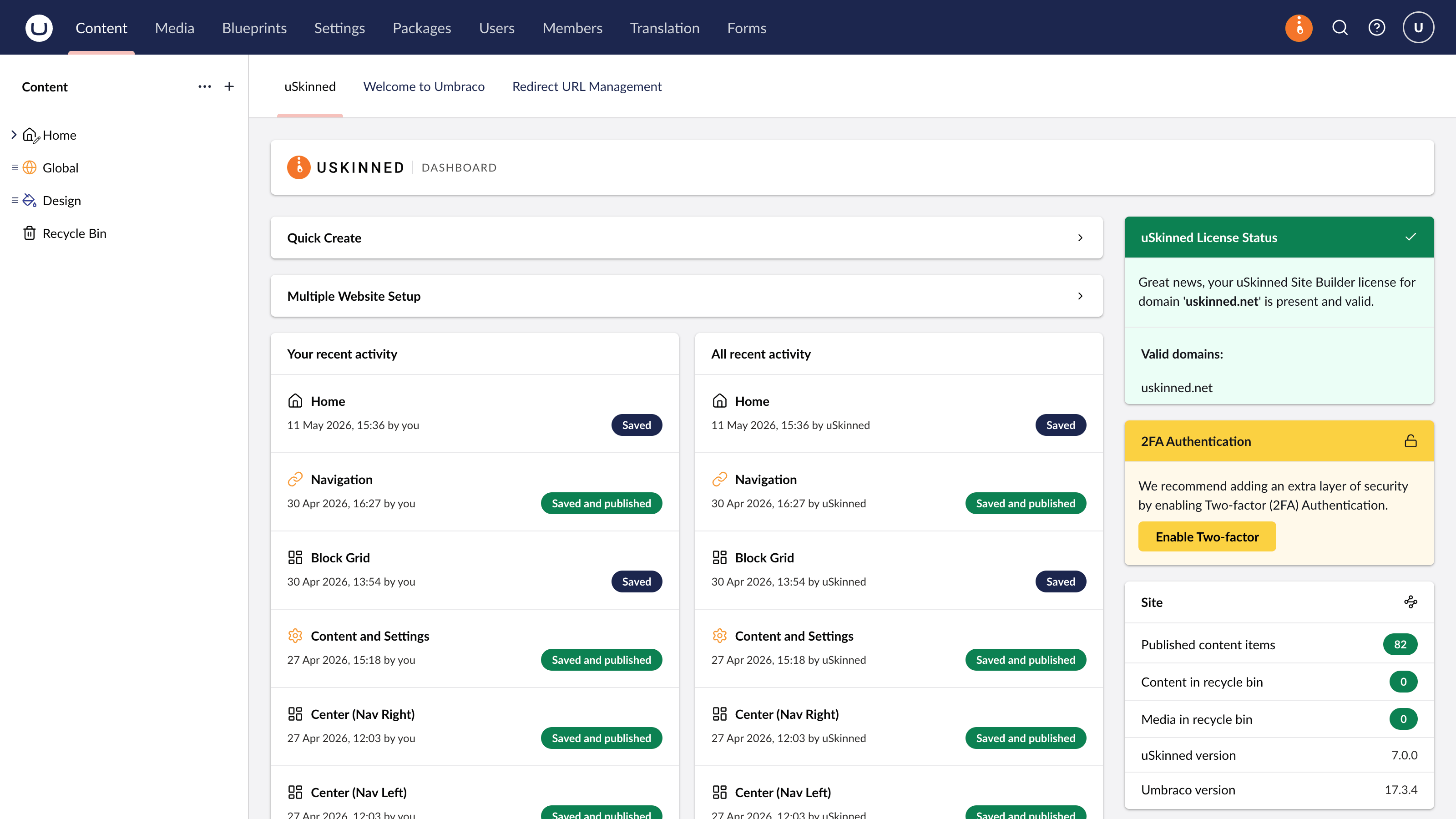
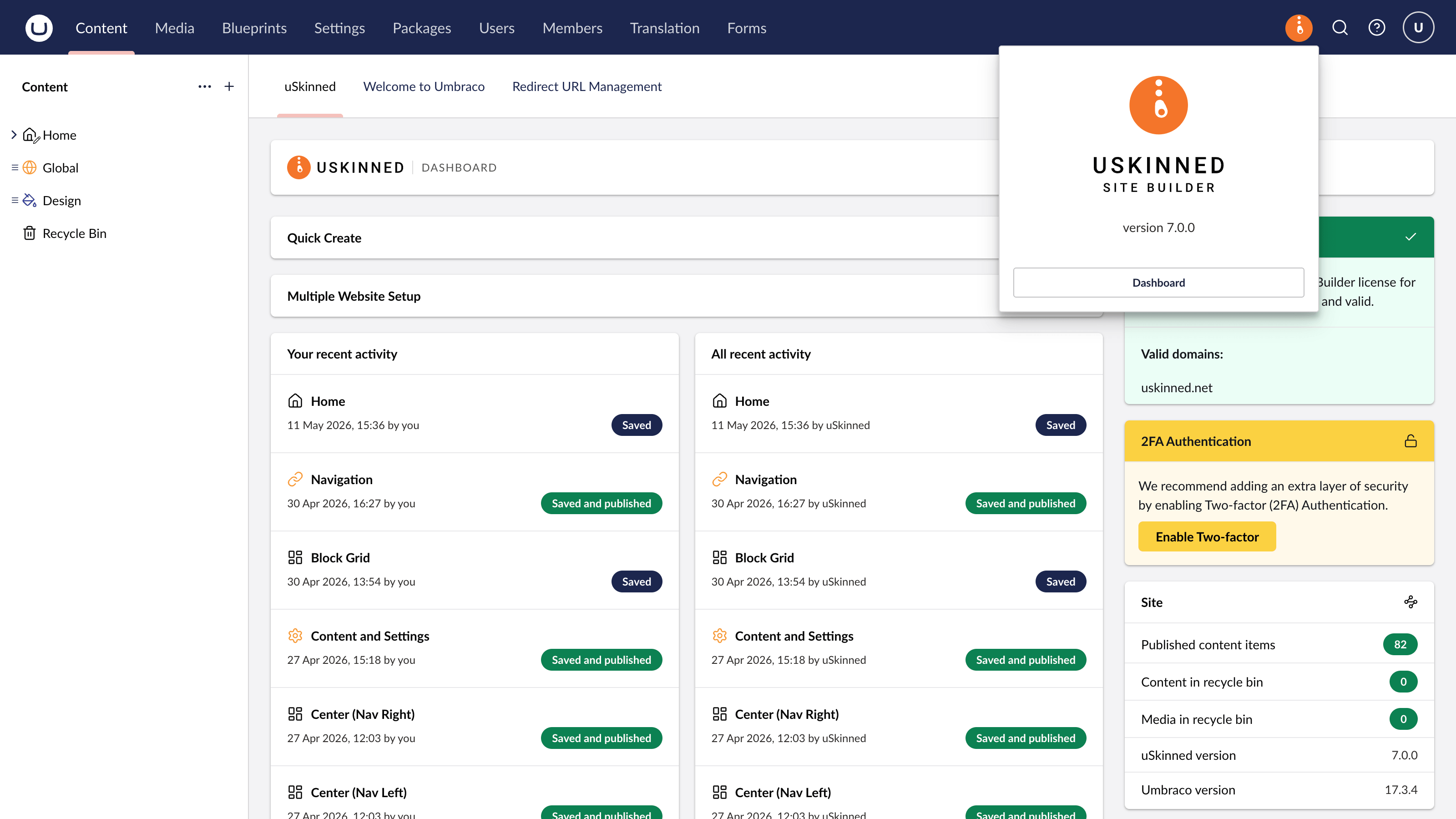
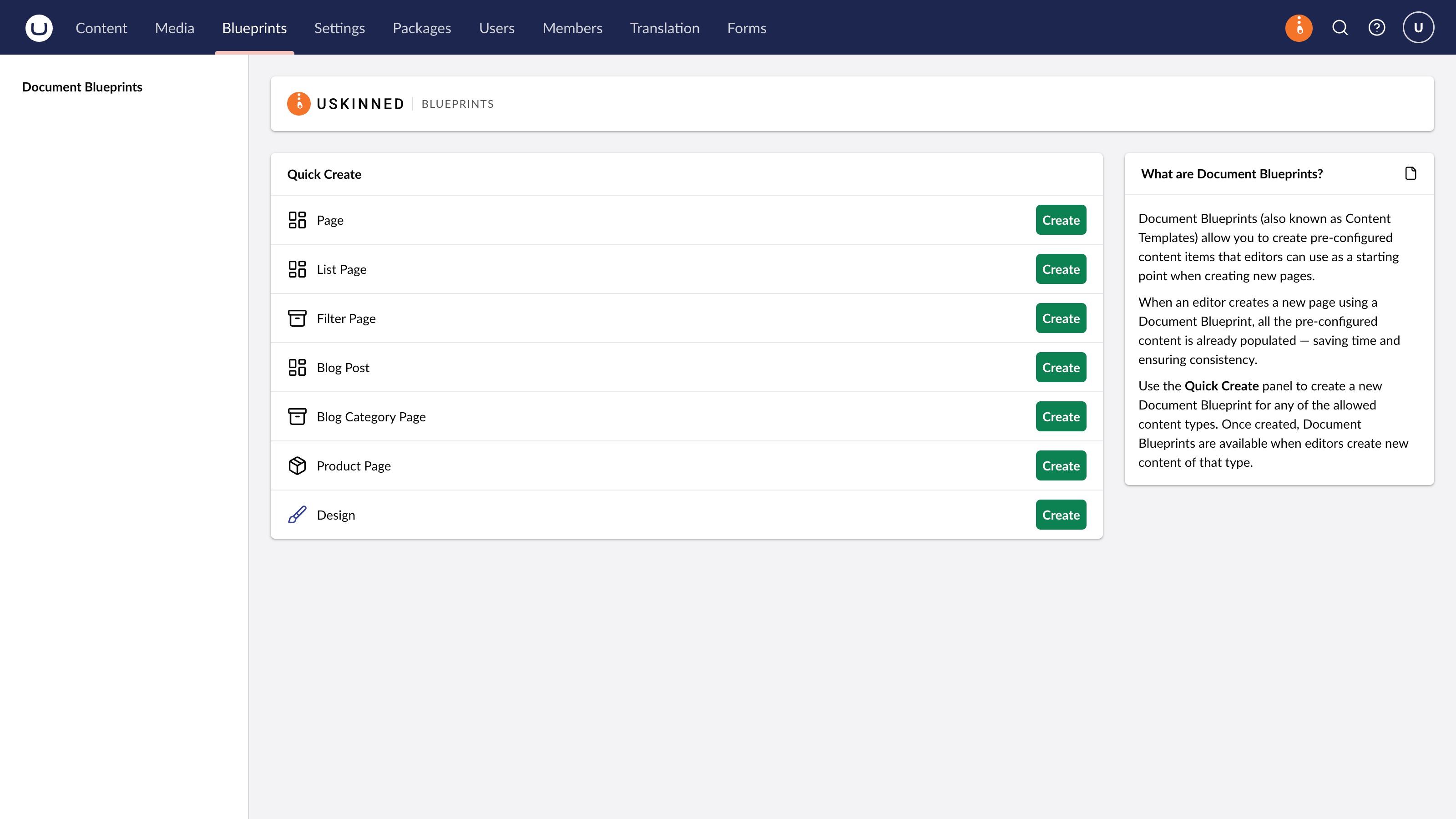
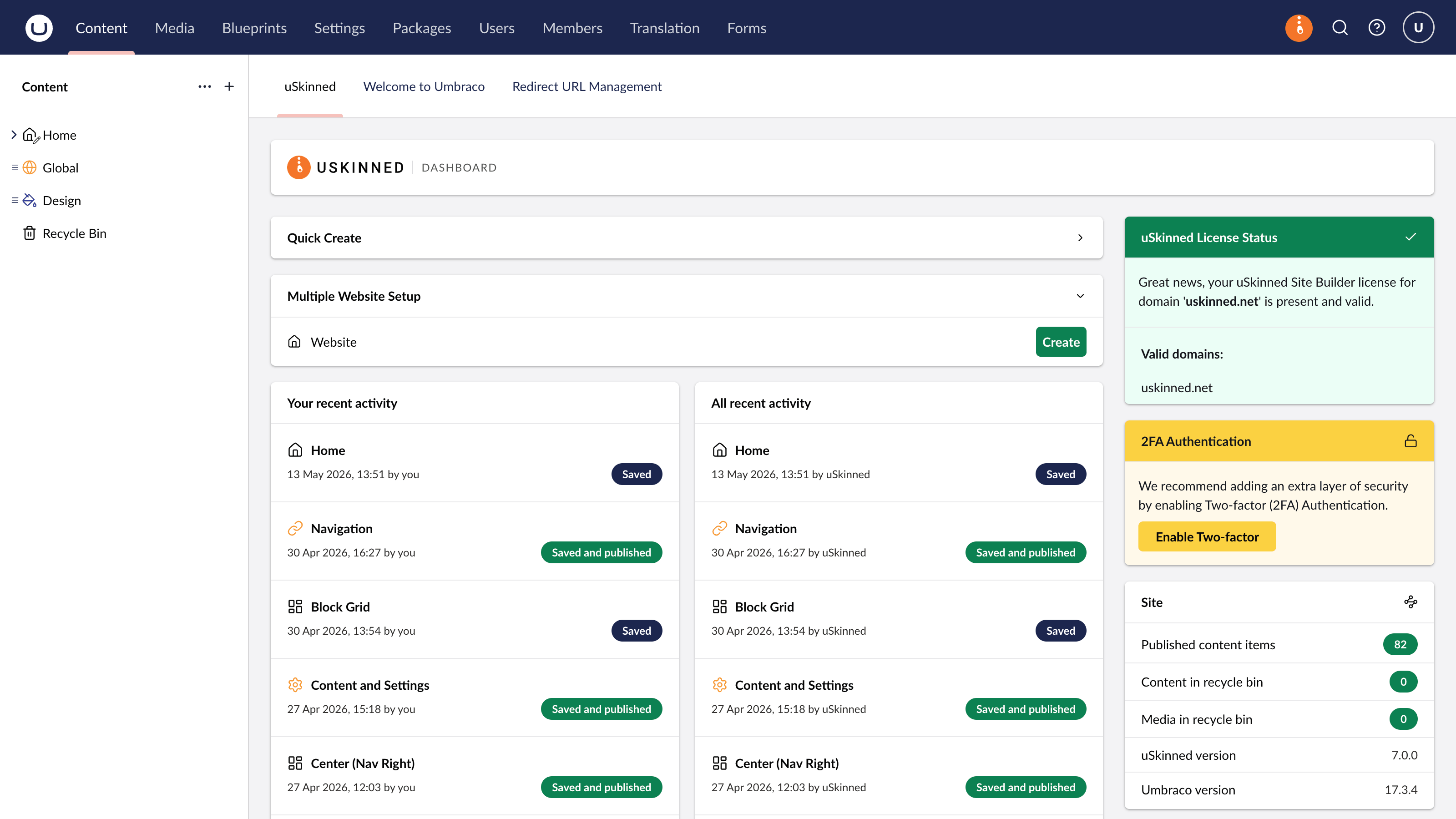
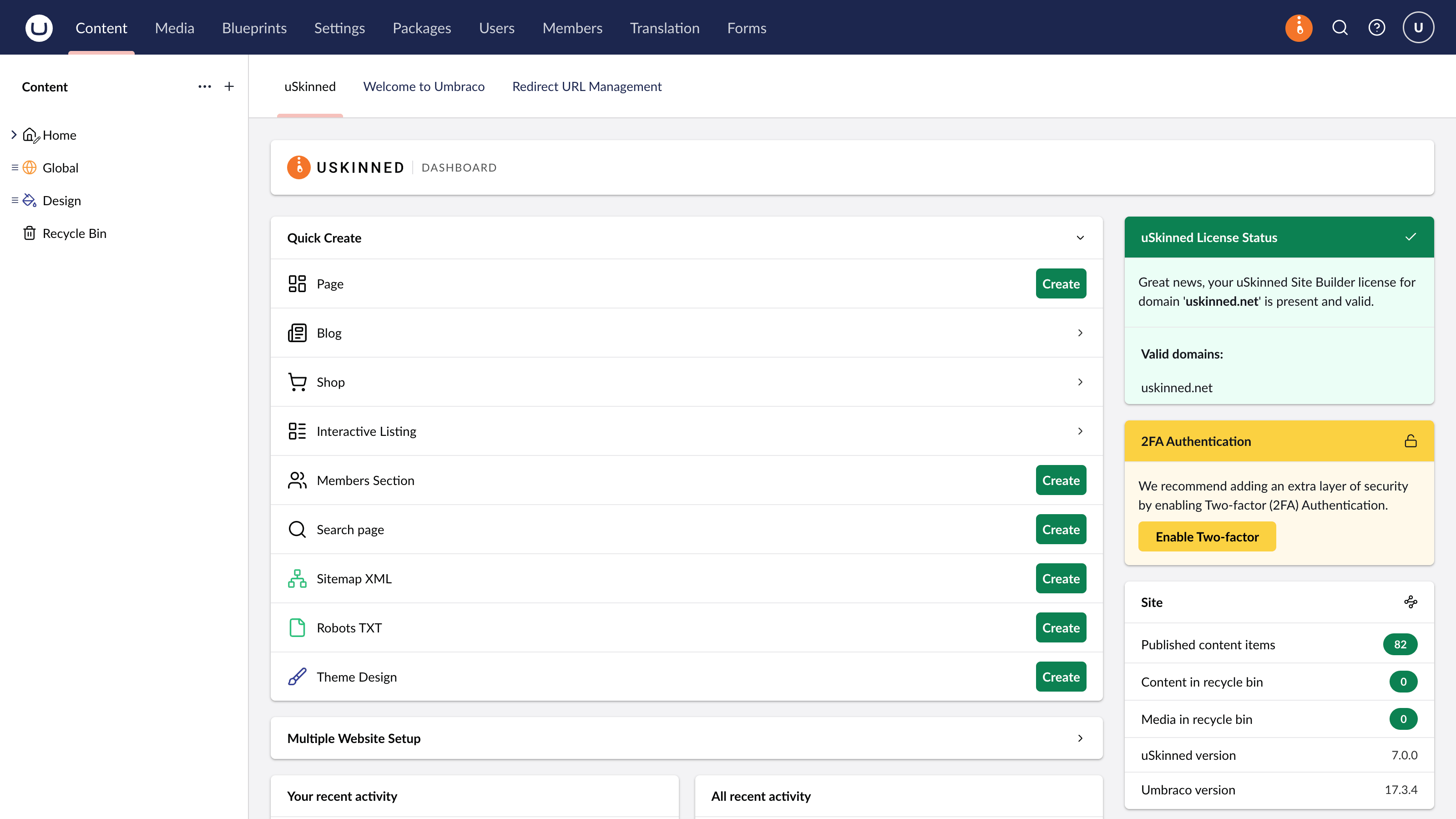
uSkinned Dashboards for Umbraco 17. Content and Blueprints.
What's New?
Alongside full Umbraco 17 support, this release also introduces many new improvements and refinements across the platform.
uSkinned Page Editor
Our Visual Editor has evolved into the new uSkinned Page Editor.
Fully rebuilt for Umbraco 17, the Page Editor continues to provide an intuitive visual editing experience directly within the backoffice and can be enabled or disabled at any time depending on your project needs.
uSkinned Theme Designer
The Visual Designer is now the uSkinned Theme Designer.
The Theme Designer is still accessed directly within preview mode, providing a smoother workflow when customising the look and feel of your site.
Or, work with the Theme Designer directly in the backoffice.
Fully Dark Mode Ready
uSkinned Site Builder is now fully compatible with Umbraco’s dark mode experience, ensuring a more polished and consistent editing environment across the entire CMS.
New Multi-URL Picker
We’ve introduced a brand-new multi-URL picker, making it easier to manage and reuse multiple links throughout your content.
New Header App
A new header app now provides quick access to Site Builder version details alongside a direct link to the content dashboard.
Templates Are Now Blueprints
Following changes introduced by Umbraco, the Templates section has now been renamed to Blueprints. Create blueprints to streamline the editor experience.
Block Grid Support
With the Umbraco Grid now deprecated, we’ve introduced a brand-new component that utilises the Umbraco Block Grid.
This allows editors to add any uSkinned Pod (or custom Pod) into any Block Grid layout option, opening up even more flexibility when building page layouts and modular content experiences.
Importantly, existing Grid content from Umbraco 13 websites is not lost during the upgrade process. Existing content will continue to work, giving teams the flexibility to migrate layouts and components to Block Grid over time rather than needing to rebuild everything immediately.
Performance Improvements and Fixes
As part of the migration process, we’ve also delivered a large number of smaller improvements, fixes, and performance enhancements throughout Site Builder.
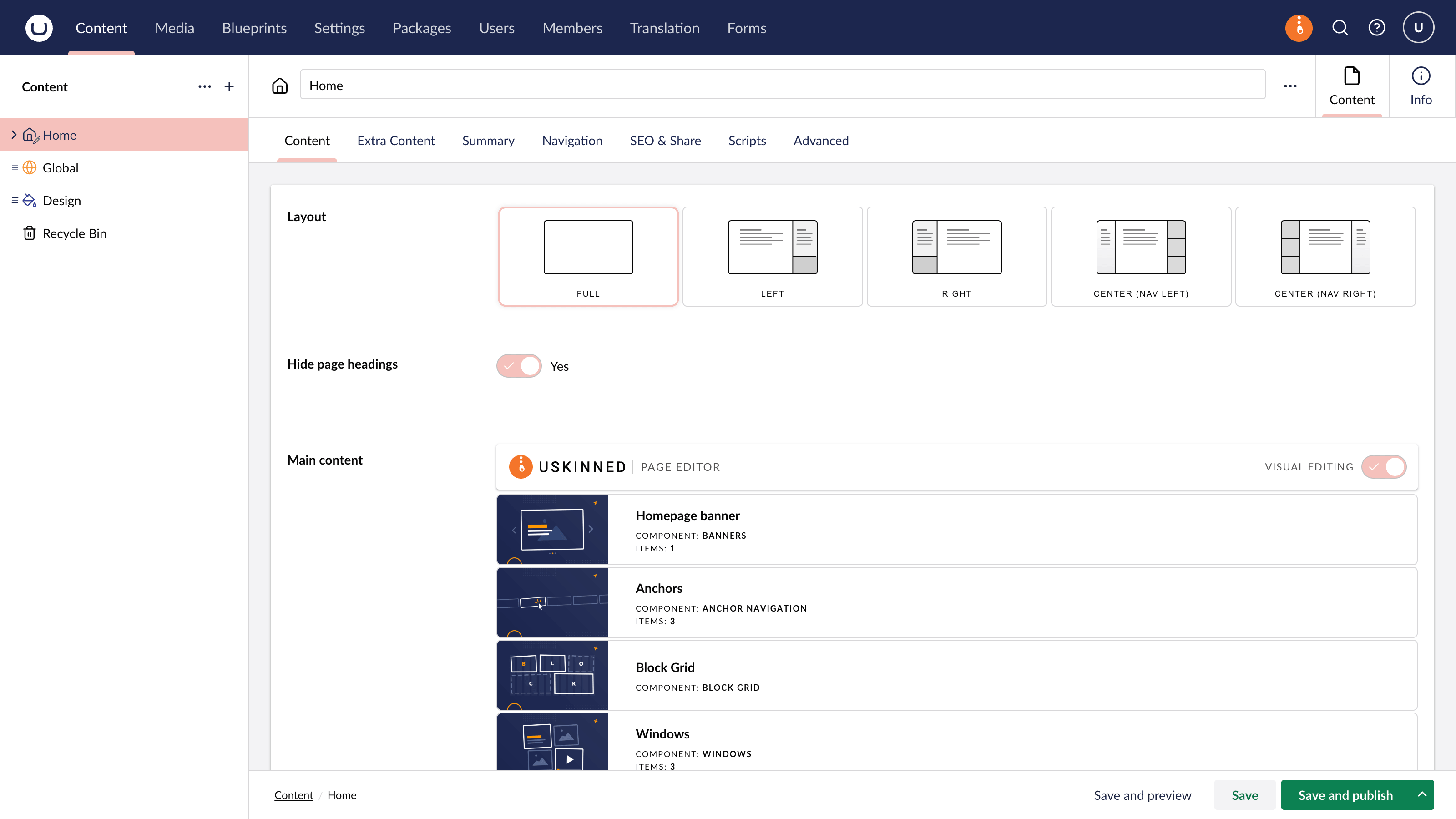
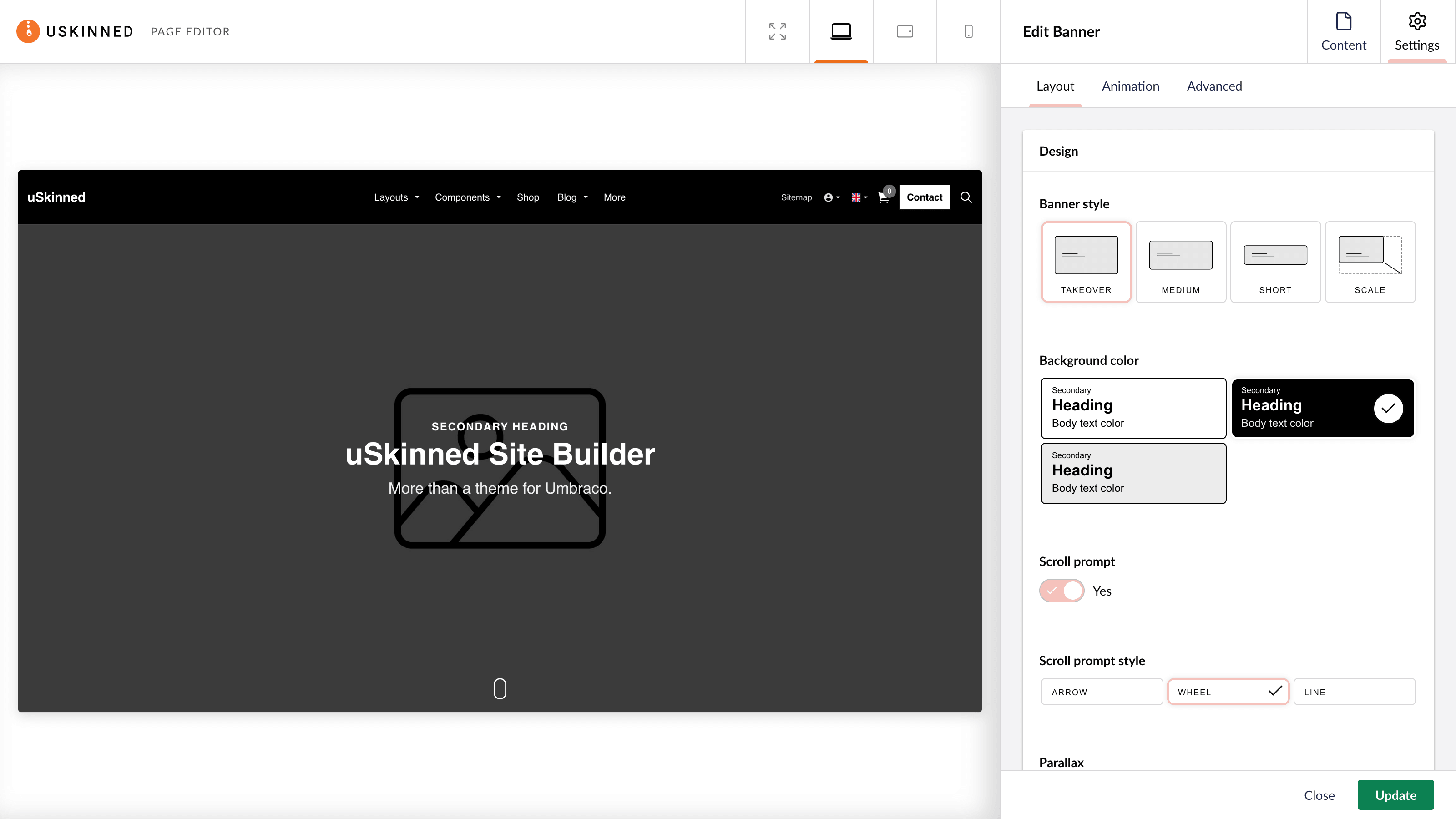
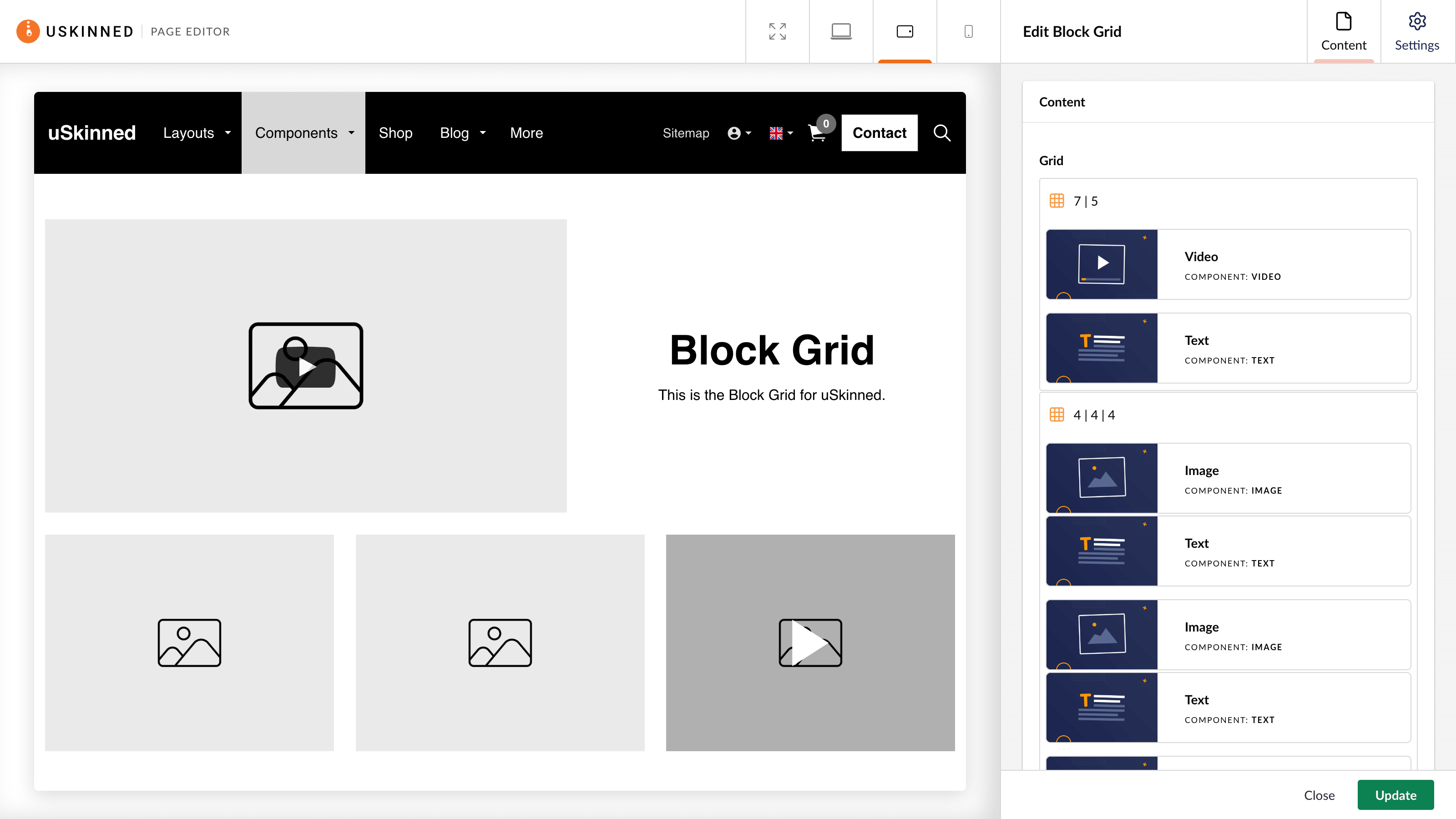
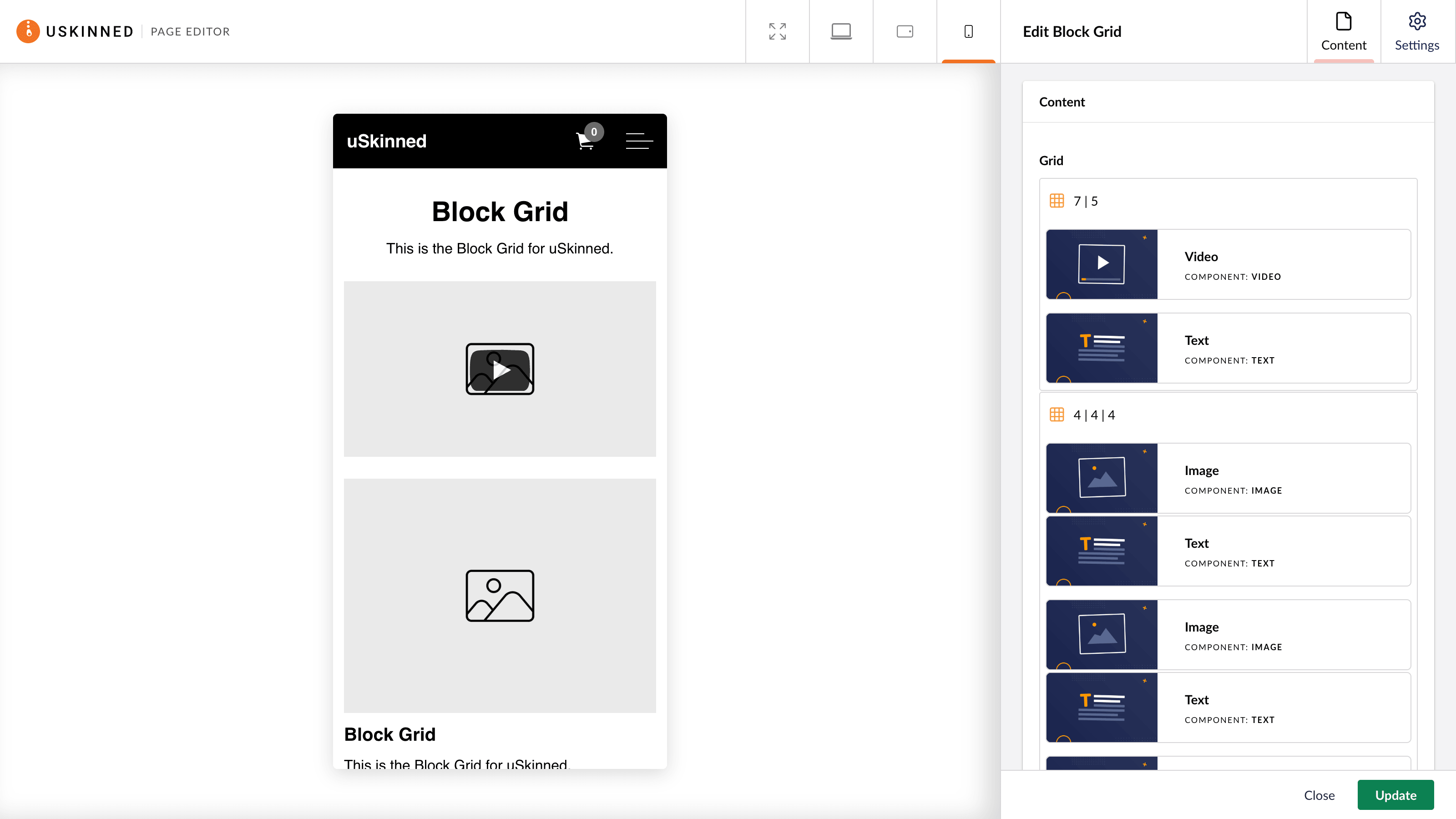
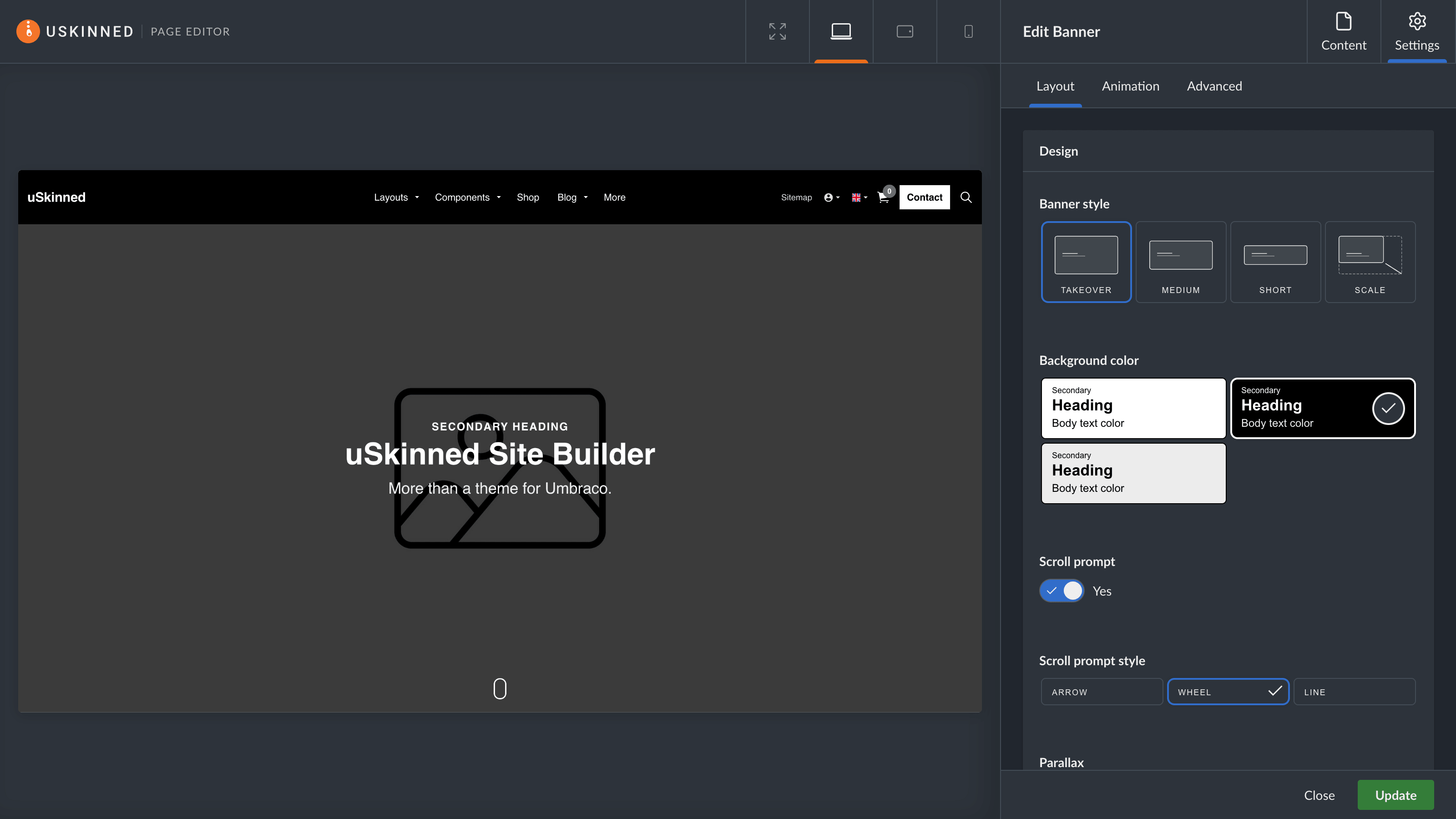
uSkinned Page Editor for Umbraco 17. Compatible with Light and Dark mode.
What’s Next?
Getting onto Umbraco 17 was the priority.
Now that we’re here, we can get back to doing what we love most: building new features, refining the editing experience, and delivering many of the improvements and requests we’ve had from our community over the past year.
There’s a lot more to come in the weeks and months ahead. Watch this space.
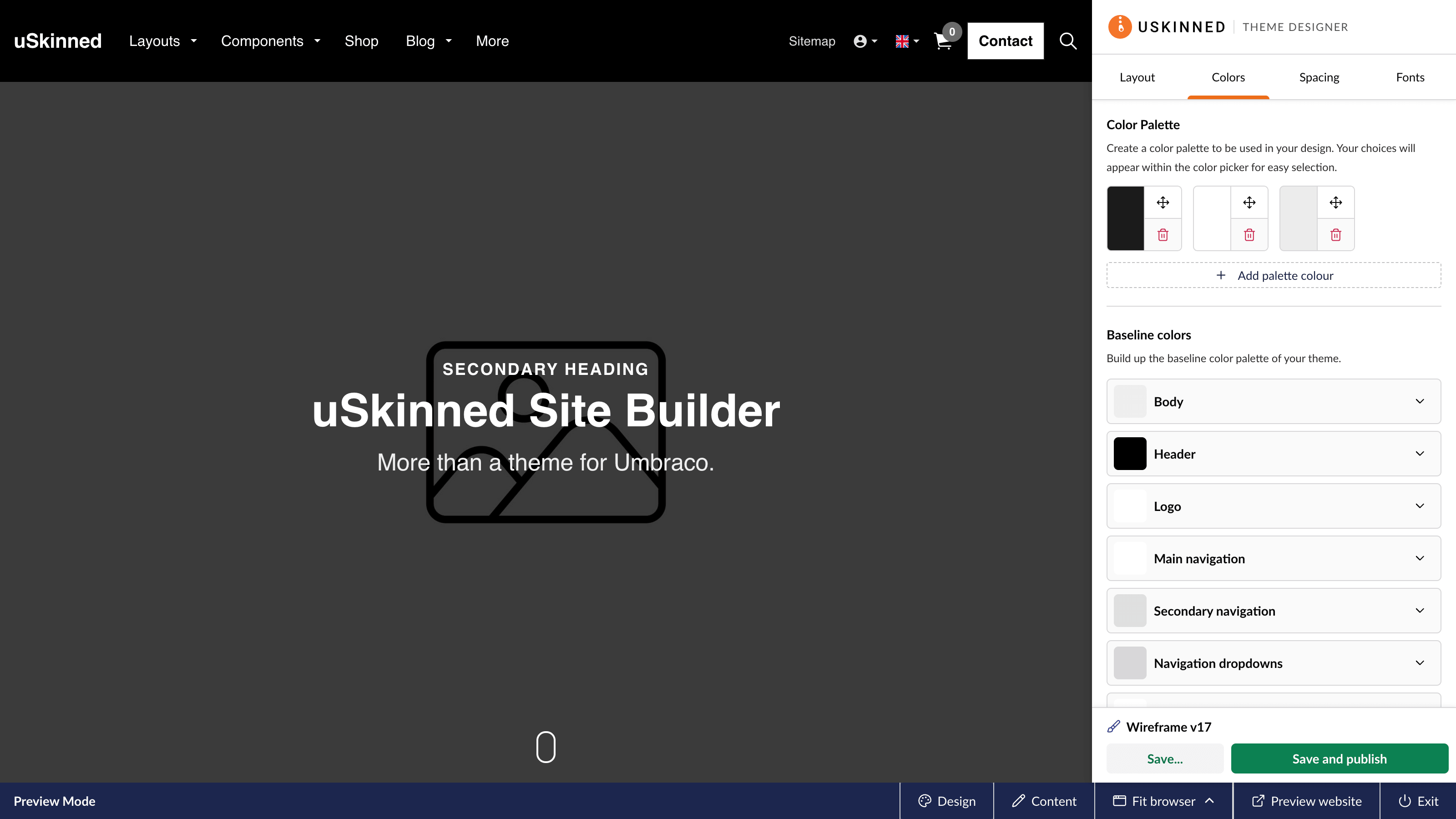
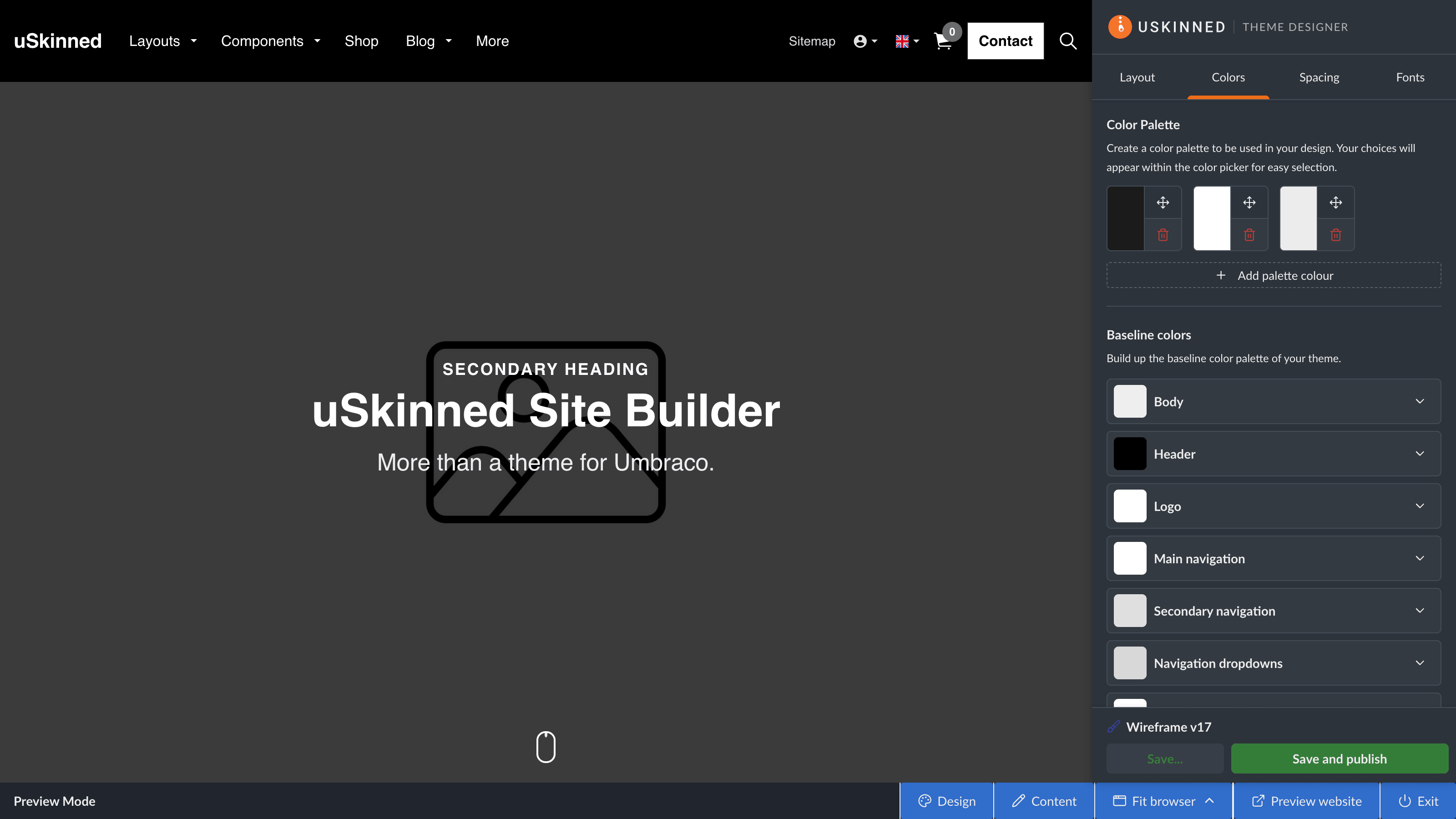
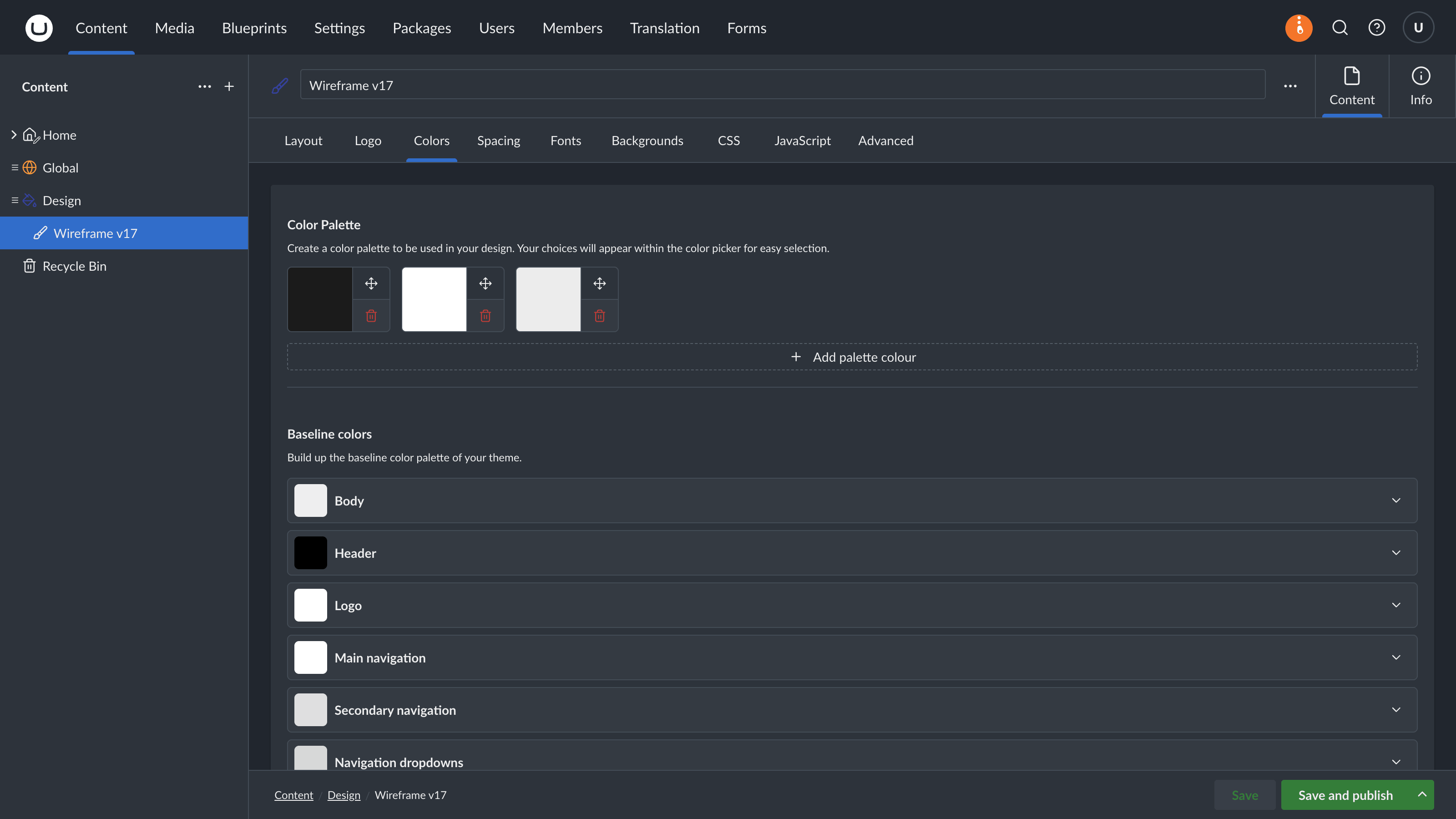
uSkinned Theme Designer for Umbraco 17. Available in Preview and in the backoffice. Compatible with Light and Dark mode.
Upgrade Now
uSkinned Site Builder 7 for Umbraco 17 is available now for Self-Hosted websites.
If you’re already running uSkinned Site Builder on Umbraco 13 (or 8, 9, 10, 11, and 12), we’d recommend reviewing your existing project setup before upgrading, particularly if you’re using custom property editors, Grid layouts, or TinyMCE customisations.
Umbraco 17 support for our Hosted platform will follow shortly.
How to Access 7.0.0
Upgrading to 7.0.0
Are you fed up with reading and want to try it out? No problem, follow this guide on how to install the upgrade.
If you're starting from Umbraco version 8.x and uSkinned Site Builder 1.x, follow this guide.
Install 7.0.0 on a New Site
Starting from scratch? Great, here's the code snippet to get started. Copy and paste this into the command line, and you're good to go.
Choose the database option that best suits you...
Option A — Local Database
# Ensure we have the latest Umbraco templates
dotnet new install Umbraco.Templates@17.4.0 --force

# Create solution/project
dotnet new sln --name MyLocalDatabaseSolution
dotnet new umbraco -n MyLocalDatabaseProject --friendly-name "Admin User" --email "admin@admin.com" --password "1234567890" --development-database-type LocalDB
dotnet sln add MyLocalDatabaseProject
dotnet add MyLocalDatabaseProject package uSkinnedSiteBuilder

# Run
dotnet run --project MyLocalDatabaseProject
# Running
Option B — SQLite
# Ensure we have the latest Umbraco templates
dotnet new install Umbraco.Templates@17.4.0 --force

# Create solution/project
dotnet new sln --name MySQLiteSolution
dotnet new umbraco -n MySQLiteProject --friendly-name "Administrator" --email "admin@admin.com" --password "1234567890" --development-database-type SQLite
dotnet sln add MySQLiteProject
dotnet add MySQLiteProject package uSkinnedSiteBuilder

# Run
dotnet run --project MySQLiteProject
#Running


Watch our step-by-step upgrade guides and upgrade your projects to Umbraco 17 today.
How to Get Started
New Customers
Head over to our pricing page and choose between a single Self-Hosted license or our Reseller Membership option.
Existing Customers
If you've purchased Site Builder within the past year, then log in to the uSkinned Members Portal now to create and download your license.
If you purchased a Site Builder license more than a year ago, then you will need to purchase an upgrade license before you can upgrade to 7.0.0.
Log in to the uSkinned Members Portal to find out.
Free Trial
Our hosted free trial will continue to run on Umbraco 13 for the time being.
Sign up for our no-obligation, Microsoft Azure-hosted free trial of uSkinned Site Builder.
uSkinned Hosted
Our hosted platform will continue to run on Umbraco 13 for the time being.
Seamless hosting, Umbraco and uSkinned are preinstalled on a world-class and secure platform. Experience the easiest and most affordable way to launch a uSkinned-powered website.
Talk to us about Hosted uSkinned Websites today.
Final Thoughts
Moving uSkinned Site Builder to Umbraco 17 has been a huge piece of work for the team, but it lays the foundation for everything that comes next. With the migration work complete, we can now focus on what matters most: delivering even more new features, improving the editing experience, and continuing to evolve the platform.
We’re excited to finally release uSkinned Site Builder 7.0.0 and can’t wait to see what you build with it. As always, thank you for your continued support, feedback, and feature requests.
There’s plenty more to come.
#h5yr
Step 3
Create
Create content with the Visual Editor and utilise built-in eCommerce and integrations.
Step 4
Go Live
You can host securely on Azure with uSkinned Hosted, or go your own way with a Self-Hosted license.

About the author
Paul Daly
Co-founder and Creative Lead at uSkinned.
It's my responsibility to lead the design and frontend coding efforts for all of our products as well as across each team, including Marketing, Branding, Content and Support.