
Upgrade a Hosted uSkinned website trial to a paid subscription
Before you can upgrade a trial, you need to sign up for a trial.
Step 1
Go to the uSkinned customer portal. From the uSkinned customer portal, you can use the link on the dashboard or go to the “Hosted” section in the navigation.
It is very important that if you intend to upgrade a trial, you do so within the trial period. If you don't, you risk losing the work you put into your trial.
Step 2 (option a)
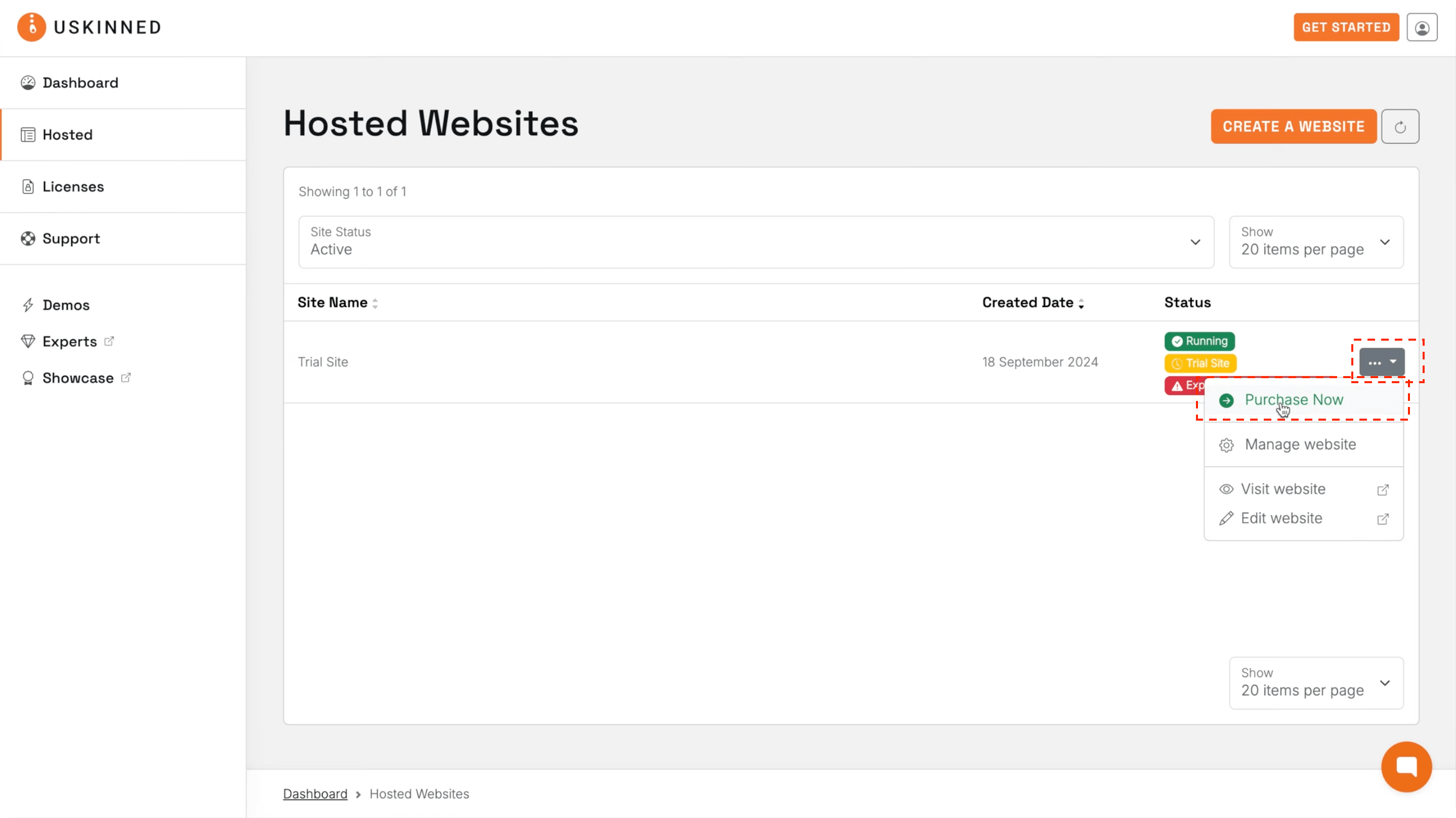
From the Hosted website list, use the action menu on the right-hand side of the website you wish to upgrade to a paid subscription.
Step 2 (option b)
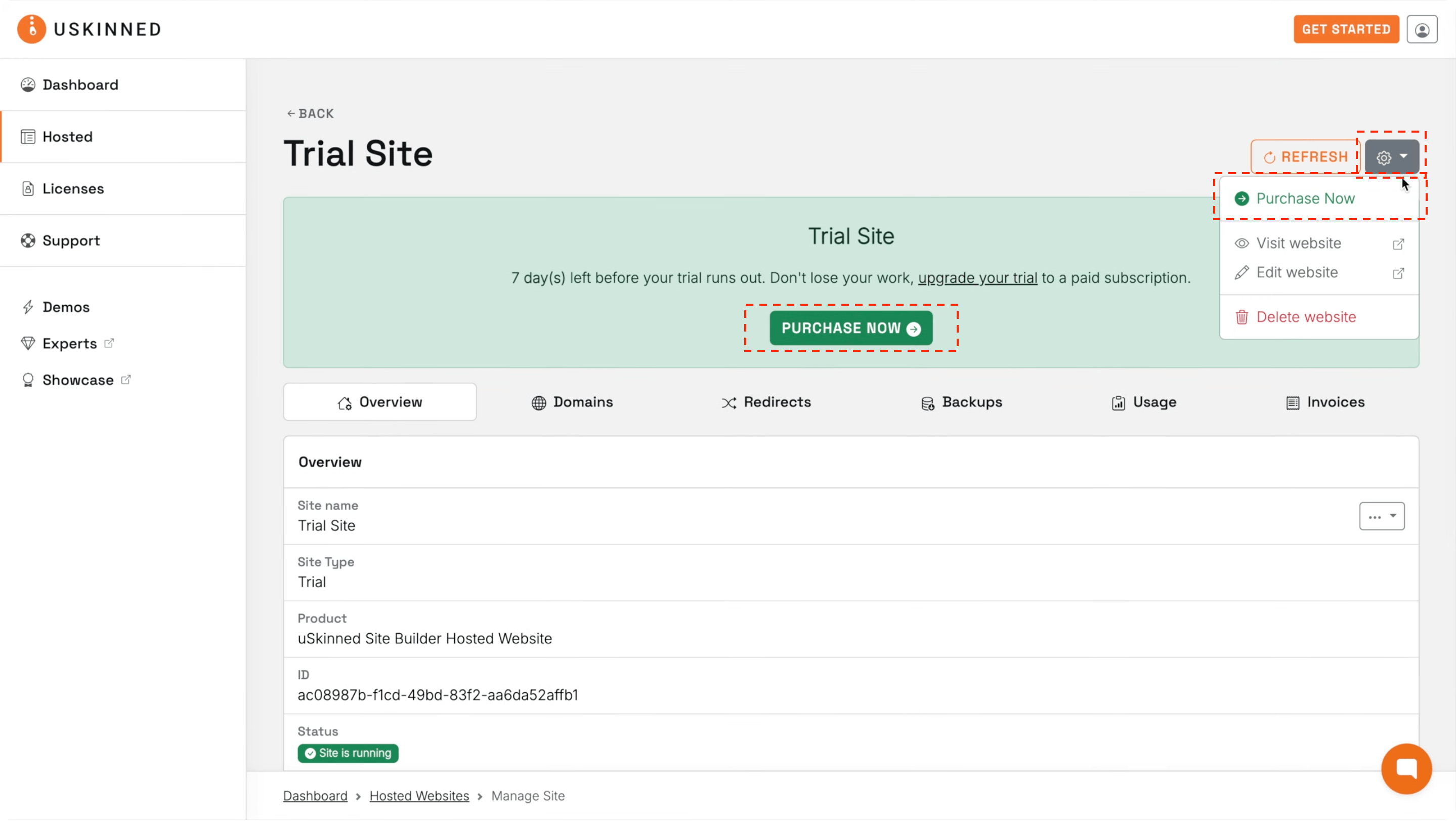
Click to manage your website. While in trial mode, we provide clear messaging about your trial status with options to upgrade at any time during the trial period.
Step 3
Enter your details or log in to your account to use your saved details, then click “Continue to payment”.
Step 4
Add your payment method and confirm.
Please note that this will be the payment method for all future charges. You can update your payment method in the portal by following this guide.
Step 5
You will now see the confirmation page. Follow the link provided to manage your Hosted uSkinned website.
#h5yr
If you run into any issues, contact support.
Related content
Step 3
Create
Create content with the Visual Editor and utilise built-in eCommerce and integrations.
Step 4
Go Live
You can host securely on Azure with uSkinned Hosted, or go your own way with a Self-Hosted license.
