
How to add a Dotdigital form
Embed Dotdigital forms and surveys on your uSkinned Site Builder website using one of the many embed HTML options provided.
Dotdigital is a marketing automation platform that helps businesses manage and personalise customer communications across email, SMS, and other digital channels. It’s commonly used to automate campaigns, segment audiences, and track engagement in one place.
Embed your Dotdigital form
Step 1
Log in to your Dotdigital portal and follow the steps in this guide to create your Lead Capture form.
Step 2
Now you have your Dotdigital form embed code, log in to the uSkinned Site Builder CMS.
Step 3
Create or go to any page.
Step 4
At the "Main Content" label, click "Add content".
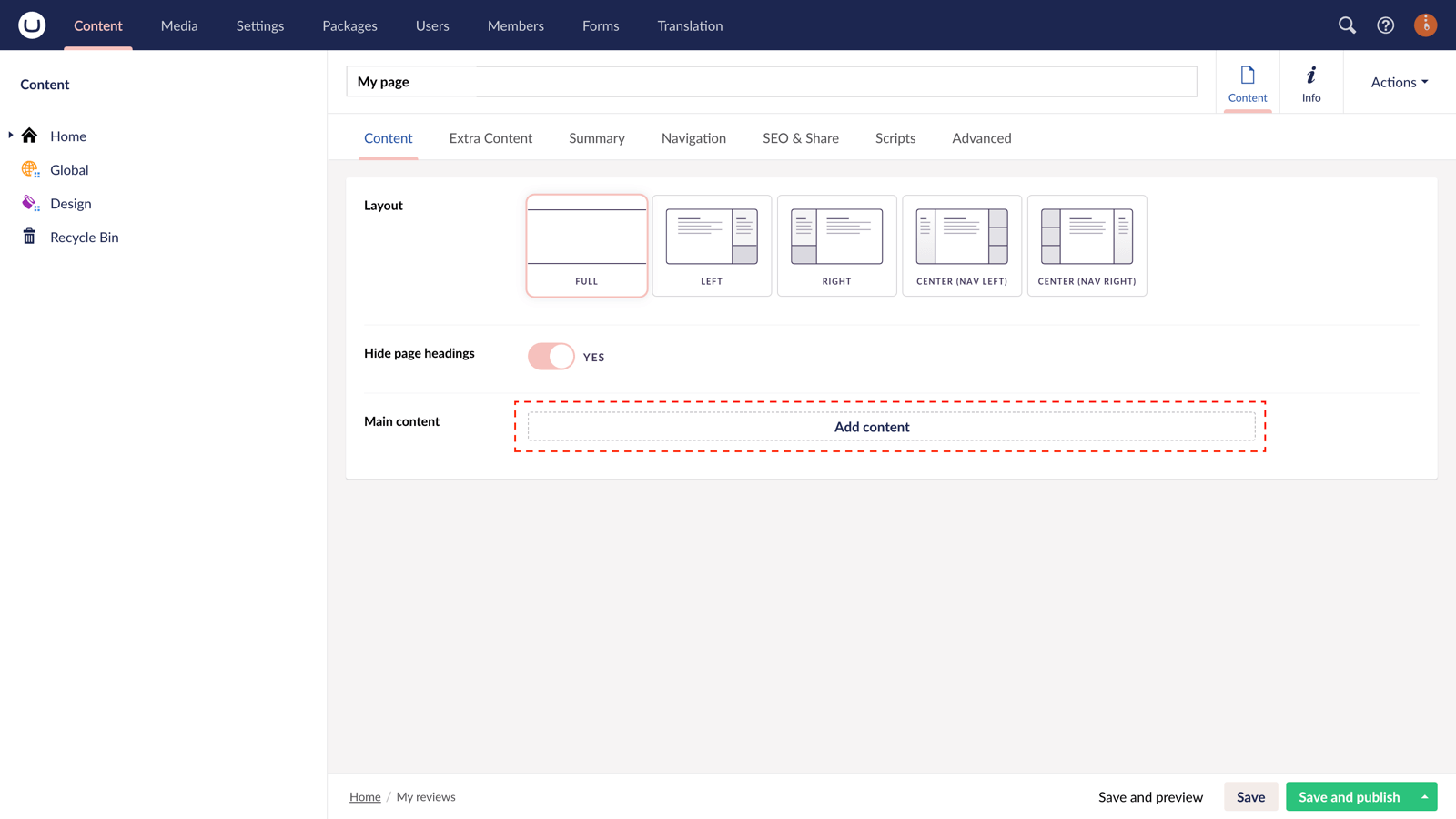
Step 5
From the options in the slide-out panel, select the "Embed code" block.
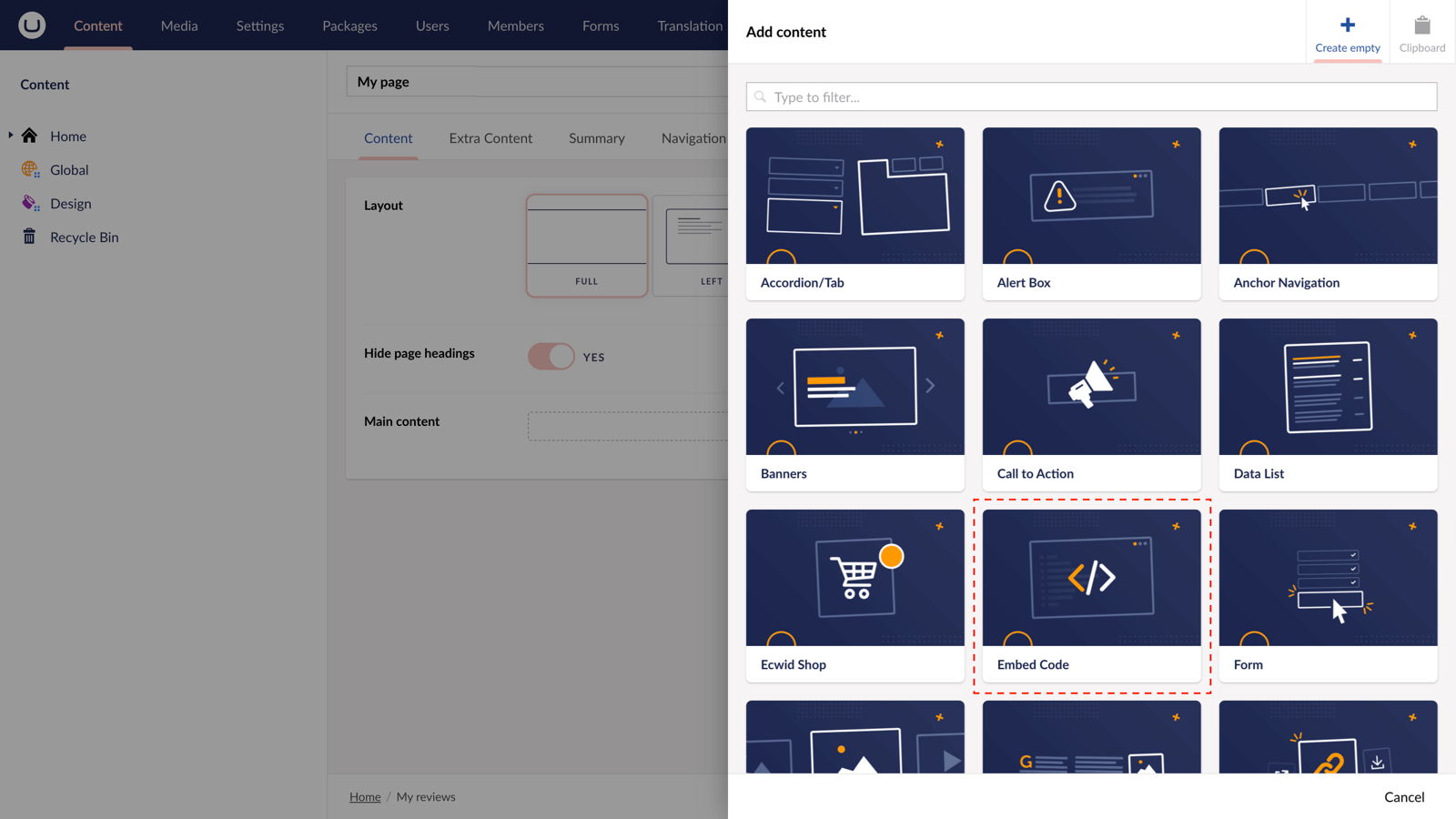
Step 6
Paste the embed code you copied in Step 1.
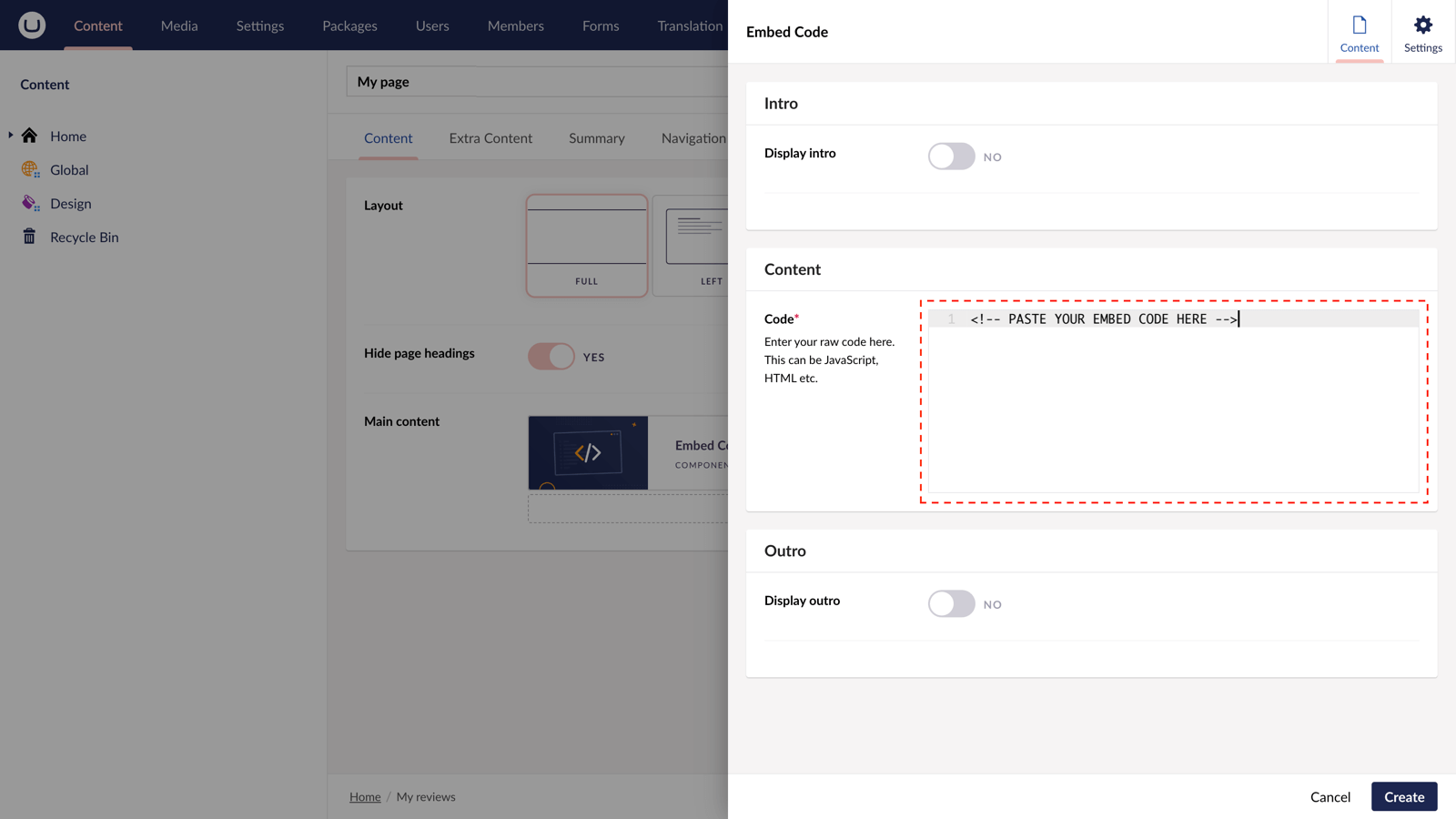
Step 7
Hit "Submit" in the slide-out panel.
Step 8
Now, "Save and publish" your page.
The Dotdigital form is now available on your uSkinned-powered website.
More ways to add Dotdigital forms
There are a variety of places you can embed Dotdigital forms on your uSkinned Site Builder website.
You can try this out using the same steps for:
— Pods component > Embed Code
— Split component > Embed Code block
— Global components > Embed Code
— Global pods > Embed Code
— Extra Content pods > Embed Code
— Footer pods > Embed Code
#h5yr


Step 3
Create
Create content with the Visual Editor and utilise built-in eCommerce and integrations.
Step 4
Go Live
You can host securely on Azure with uSkinned Hosted, or go your own way with a Self-Hosted license.
